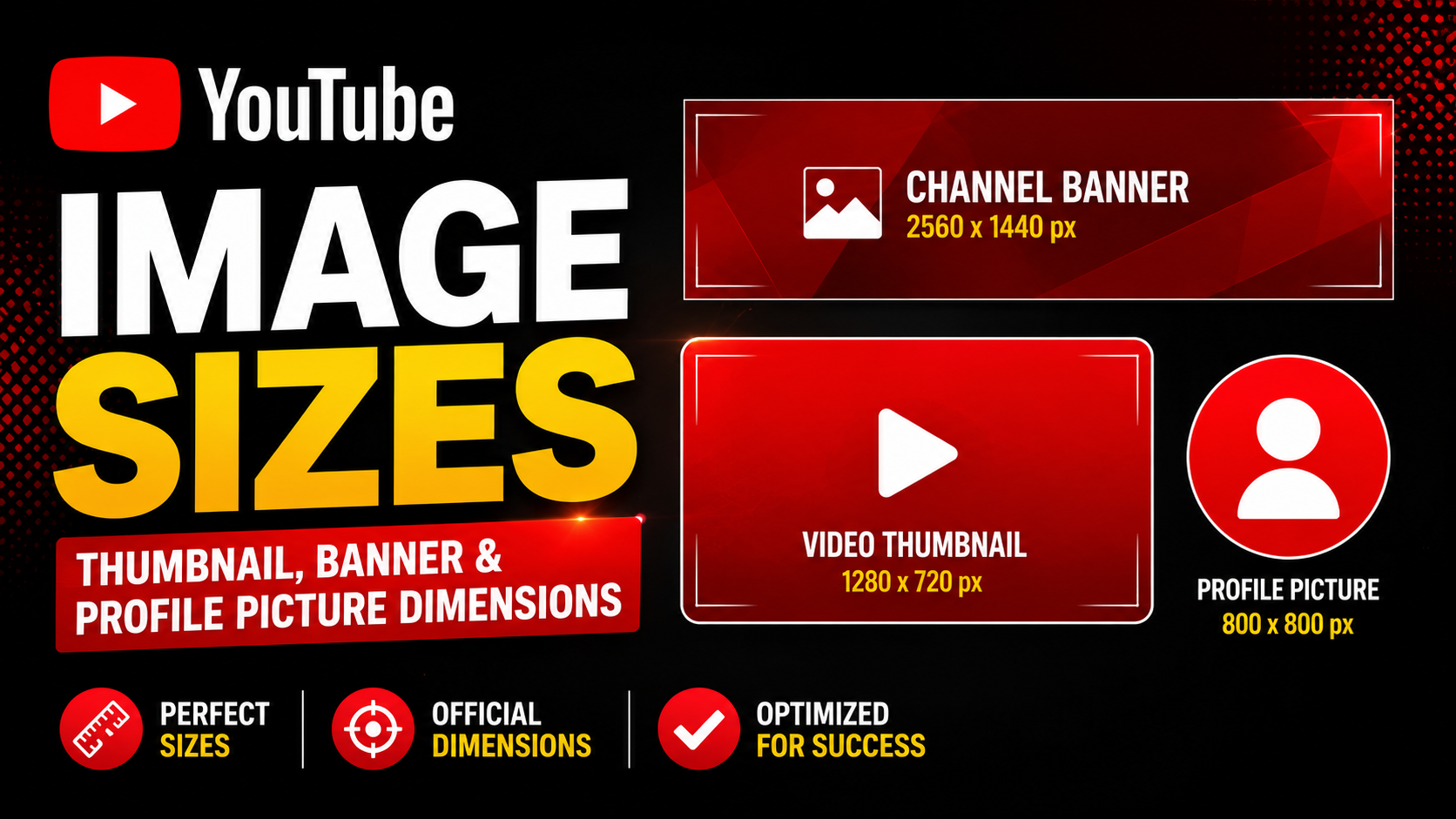
Every YouTube channel depends on three core image assets, and each one has a specific size YouTube expects. Upload an image at the wrong dimensions and YouTube will crop it, stretch it, or reject it outright. This guide lists the exact dimensions for every YouTube image the video thumbnail, the channel banner (channel art), and the channel profile picture (avatar) along with safe zones, maximum file sizes, and accepted formats.
The Three YouTube Image Assets
A YouTube channel's visual identity is built from three image types. Each appears in a different place and has its own resolution, aspect ratio, and file size limit:
- Video thumbnail the clickable preview image for each video. 1280×720 pixels, 16:9 aspect ratio.
- Channel banner the wide header image across the top of a channel page. 2560×1440 pixels, 16:9 aspect ratio.
- Profile picture the circular channel avatar shown next to every video and comment. 800×800 pixels, square.
Getting all three right is the difference between a channel that looks polished and one that looks broken on half its viewers' screens. The sections below cover each asset in detail, with the exact specification YouTube publishes for creators.
YouTube Thumbnail Size
The video thumbnail is the most important image on your channel it is the single biggest factor in whether someone clicks your video. YouTube recommends uploading thumbnails at 1280×720 pixels in a 16:9 aspect ratio. The minimum acceptable width is 640 pixels, and the maximum file size is 2 MB.
Accepted formats are JPG, PNG, GIF, and BMP. JPG is the most common choice because it produces the smallest file while keeping high visual quality. When a thumbnail is displayed, YouTube serves it at several smaller resolutions for example a 480×360 grid thumbnail or a 320×180 mobile preview all scaled down from the 1280×720 file you upload.
You can pull the thumbnail from any existing video with the HD thumbnail downloader, resize an image to exact thumbnail dimensions with the YouTube Thumbnail Resizer, or design one from scratch in the YouTube Thumbnail Maker. For a deeper breakdown, read the YouTube thumbnail size guide and the explanation of why 16:9 is the standard aspect ratio.
YouTube Channel Banner (Channel Art) Size
The channel banner also called channel art is the wide image across the top of every channel page. YouTube recommends uploading it at 2560×1440 pixels with a maximum file size of 6 MB.
The catch with channel art is that different devices show different crops of the same image. Only a TV displays the full 2560×1440 banner. On desktop, viewers see a roughly 2560×423 horizontal strip; on mobile, even less. Because of this, YouTube defines a safe area of 1546×423 pixels, centered in the image any logo, channel name, or text must sit inside that safe area to stay visible on every device.
To download any channel's existing banner at full resolution, use the YouTube Channel Art Downloader. To resize your own artwork to 2560×1440, the resizer tool includes a channel art preset. For the full safe-zone and per-device crop breakdown, see the YouTube channel art size guide, or follow how to download YouTube channel art step by step.
YouTube Profile Picture (Avatar) Size
The profile picture is the channel avatar that appears next to every video in search, the subscription feed, comments, and on the channel page itself. YouTube recommends uploading it at 800×800 pixels with a maximum file size of 4 MB. Accepted formats are JPG, GIF, BMP, and PNG animated GIFs are not supported.
YouTube stores the avatar as a square image but always displays it inside a circular crop. Keep your logo or face centered and away from the corners, or it will be clipped by the circle mask. To grab any channel's avatar at full resolution, use the YouTube Profile Picture Downloader. For recommended dimensions and circle-safe design rules, see the YouTube profile picture size guide, or follow how to download a YouTube profile picture.
YouTube Shorts Thumbnail Size
YouTube Shorts use a vertical 9:16 format rather than the 16:9 used by standard videos. The Shorts thumbnail resolution is 1080×1920 pixels. Shorts do not currently support a separate custom thumbnail upload the way long-form videos do the thumbnail is taken from a frame of the video but the 1080×1920 frame size still matters when you plan your opening shot.
You can extract the thumbnail from any Shorts video with the YouTube Shorts Thumbnail Downloader, and read the full YouTube Shorts thumbnail size breakdown for more detail.
Quick Reference: All YouTube Image Sizes
| Image Asset | Recommended Size | Aspect Ratio | Max File Size | Safe Area |
|---|---|---|---|---|
| Video thumbnail | 1280×720 px | 16:9 | 2 MB | Full image |
| Channel banner (channel art) | 2560×1440 px | 16:9 | 6 MB | 1546×423 px centered |
| Profile picture (avatar) | 800×800 px | 1:1 (square) | 4 MB | Centered circle |
| Shorts thumbnail | 1080×1920 px | 9:16 | 2 MB | Full image |
How to Resize Images to YouTube Specs
If an image is the wrong size, you do not need design software to fix it. The YouTube Thumbnail Resizer resizes any image to 1280×720, 2560×1440, or 1080×1920 directly in your browser. If a thumbnail is over the 2 MB limit, the YouTube Thumbnail Compressor reduces the file size while keeping it under YouTube's cap. You can confirm a thumbnail meets the 16:9 requirement with the Aspect Ratio Checker. All of these plus ten more are listed on the free YouTube thumbnail tools page.
Frequently Asked Questions
YouTube recommends 1280×720 pixels in a 16:9 aspect ratio, with a maximum file size of 2 MB. The minimum acceptable width is 640 pixels. JPG, PNG, GIF, and BMP files are all accepted.
YouTube channel art should be 2560×1440 pixels with a maximum file size of 6 MB. Keep all important text and logos within the central 1546×423 pixel safe area so they remain visible on phones, tablets, desktops, and TVs.
A YouTube profile picture should be 800×800 pixels, with a maximum file size of 4 MB. YouTube displays it inside a circle, so keep the key content centered and away from the edges.
YouTube re-encodes thumbnails, serves them at multiple resolutions, and applies its own compression. A 1280×720 upload is served at smaller sizes, scaled down to fit each surface. If your thumbnail looks washed out after upload, see why YouTube compresses thumbnails and how to prevent it.