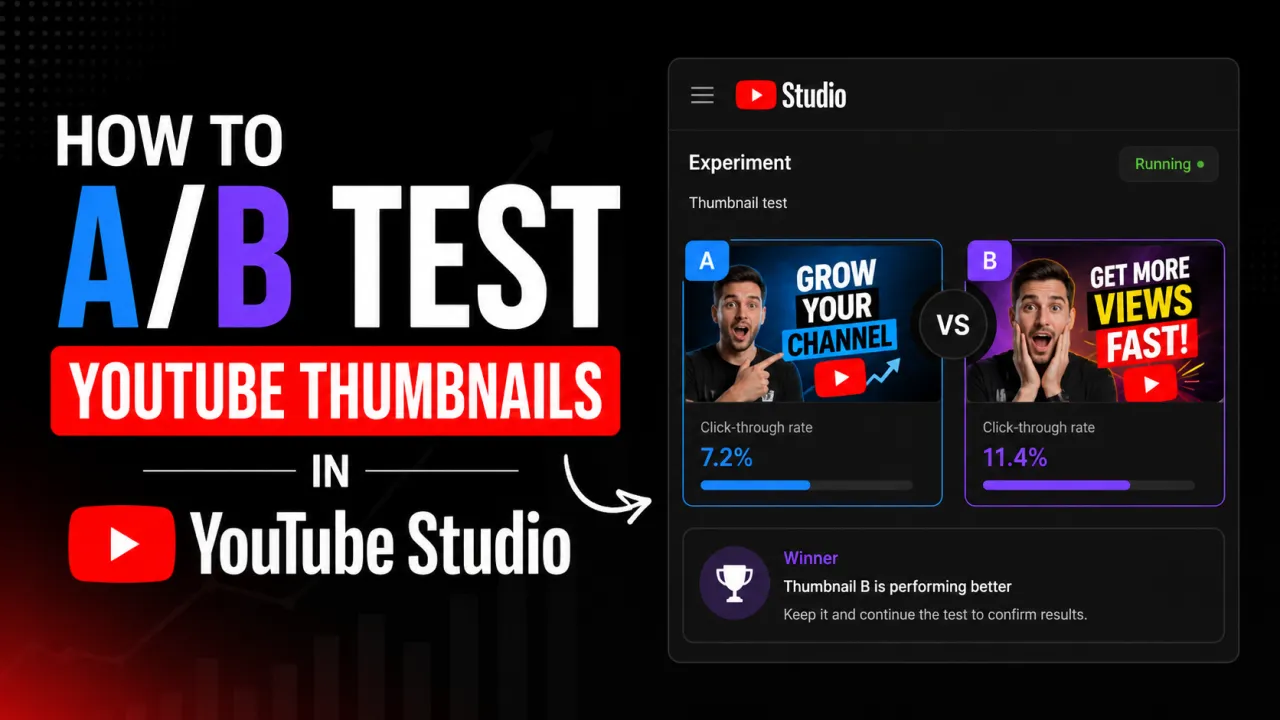
YouTube Studio includes a native thumbnail A/B testing feature called Test & Compare. It lets you upload an alternative thumbnail for any existing video and have YouTube show both versions to viewers then report which thumbnail produced higher click-through rate. This is the only reliable way to know whether a new thumbnail actually improves performance rather than just looking different.
Before You Start: Archive Your Current Thumbnail
YouTube does not retain a history of your previous thumbnail versions. Before uploading a test thumbnail, download and save your current thumbnail using the YouTube thumbnail downloader. Paste the video URL, download the HD version, and save it locally. If the test thumbnail underperforms, you will need this file to revert.
How to Set Up a Thumbnail A/B Test
- Open YouTube Studio and go to Content.
- Click on the video you want to test.
- In the Details panel, click the current thumbnail to open the thumbnail options.
- Look for the Test & Compare option. If it is available for your channel, you will see it alongside the standard thumbnail upload options.
- Upload your alternative thumbnail. Both thumbnails will now be queued for testing.
- Click Save to start the test.
YouTube will show each thumbnail to a roughly equal portion of viewers over the test period. The test runs for up to two weeks, or until YouTube determines a winner with statistical confidence.
What YouTube Measures and How It Picks a Winner
YouTube compares click-through rate between the two thumbnail versions. Whichever thumbnail produces a higher CTR among the viewers shown each version is declared the winner. YouTube uses statistical significance it waits for enough data to be confident that the difference is real and not random variance before automatically switching to the winning thumbnail and ending the test.
If neither thumbnail produces a clearly better result within the two-week window, YouTube will report the outcome as inconclusive. In this case, no automatic switch occurs and you choose manually.
How to Read Test & Compare Results
After the test completes, YouTube Studio shows the CTR for each thumbnail version alongside the total impressions each received. Look at:
- CTR difference: A difference of less than 0.5 percentage points is typically within noise for most channels. A difference of 12+ points is meaningful.
- Impressions received: Tests with very low impression counts (under 500 per variant) are less reliable. More impressions produce more confident results.
- Impression source breakdown: If your channel gets most impressions from Browse (subscribers), the test reflects subscriber preference. If impressions skew toward Search, the result reflects how the thumbnail performs against competitor thumbnails in search results which is a different and often more valuable signal.
Test Design Principles
Test one variable at a time where possible. If you change the background colour, face expression, and text simultaneously, you cannot know which change drove the CTR difference. Effective thumbnail tests typically change one significant element: the main image, the colour scheme, the text, or whether a face is present.
Strong test pairs to consider:
- Face in thumbnail vs no face
- Text overlay vs text-free design
- Two different expressions on the same face
- High-saturation palette vs desaturated palette
- Subject close-up vs wider composition
When Test & Compare Is Not Available
Test & Compare availability depends on channel eligibility YouTube has been rolling it out gradually and it may not be available to all channels. If it is not available, you can run a manual test: upload the new thumbnail, record the CTR over two weeks, revert to the original, and compare. This method is less controlled because external factors (seasonality, recommendation changes) are not isolated, but it provides directional signal. If a thumbnail you upload does not appear right away while you set up the test, see why a YouTube thumbnail is not showing or updating.
Third-party tools TubeBuddy and vidIQ also offer thumbnail A/B testing features for channels that lack the native YouTube Studio feature.
If your channel does not yet have access to YouTube's native test, you can still preview two options side by side with the free A/B Thumbnail Comparison tool before you upload.
Related: YouTube thumbnail best practices.
Frequently Asked Questions
The test period itself does not negatively impact rankings. If the test thumbnail produces a lower CTR than the original, YouTube’s algorithm may temporarily show the video less frequently in recommendations — but this corrects itself once the better-performing thumbnail is selected and deployed.
YouTube runs tests for up to two weeks automatically. For channels with low impression volume (under 1,000 impressions per week on the video), two weeks may not produce enough data for a confident result. In this case, the test result will show as inconclusive — repeat the test on a newer video with higher impressions to get reliable data.
Yes, and it is often worthwhile. Old videos that already rank in search but have a low CTR are strong candidates for thumbnail tests — the ranking is already established, so improving CTR directly improves the number of clicks the video receives without requiring the video to rebuild ranking from scratch.
YouTube Studio’s Test & Compare runs one challenger against the current thumbnail at a time. Testing multiple variations simultaneously requires splitting your audience across more variants, which reduces the impression count per variant and increases the time needed to reach statistical significance. Sequential testing (one variant at a time) is more reliable for most channel sizes.